
MiroHost Mail Settings for Apple Mail
You can use Mirohost email via the iPhone’s pre-installed Mail app. To do this, you need to enable the IMAP protocol in your email account settings and then configure the Mail app itself.
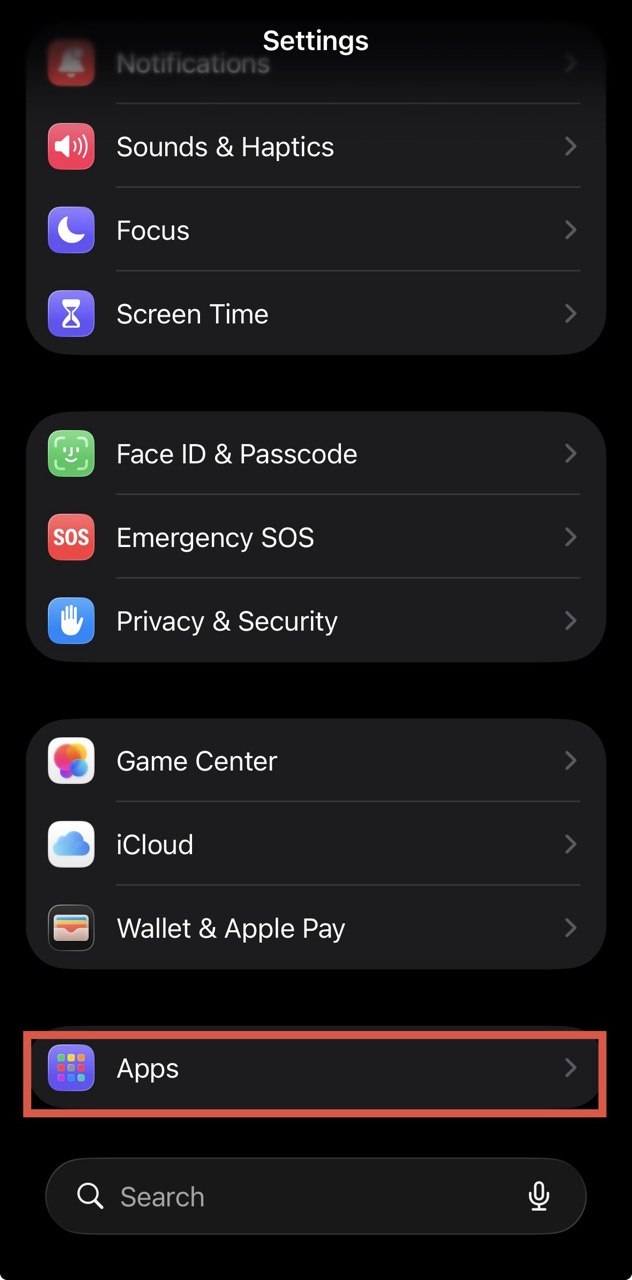
Step 1. Open “Settings” on your iPhone
Step 2. Go to the “Apps” menu
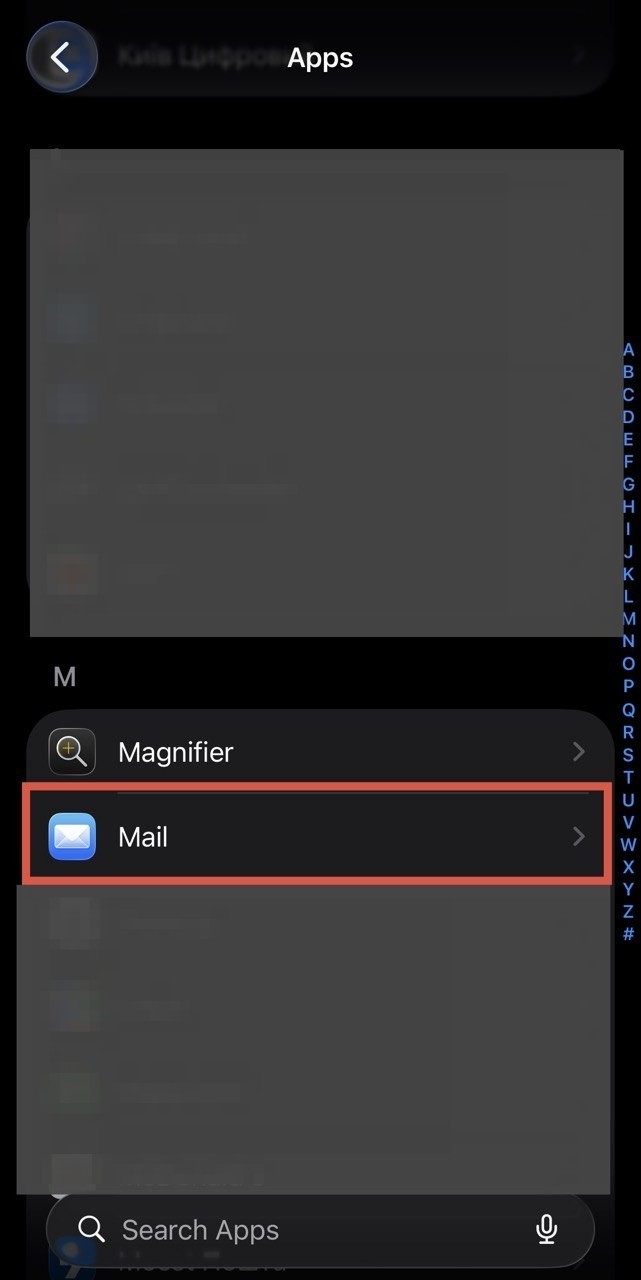
Step 3. Search for or select the “Mail” app from the list of apps
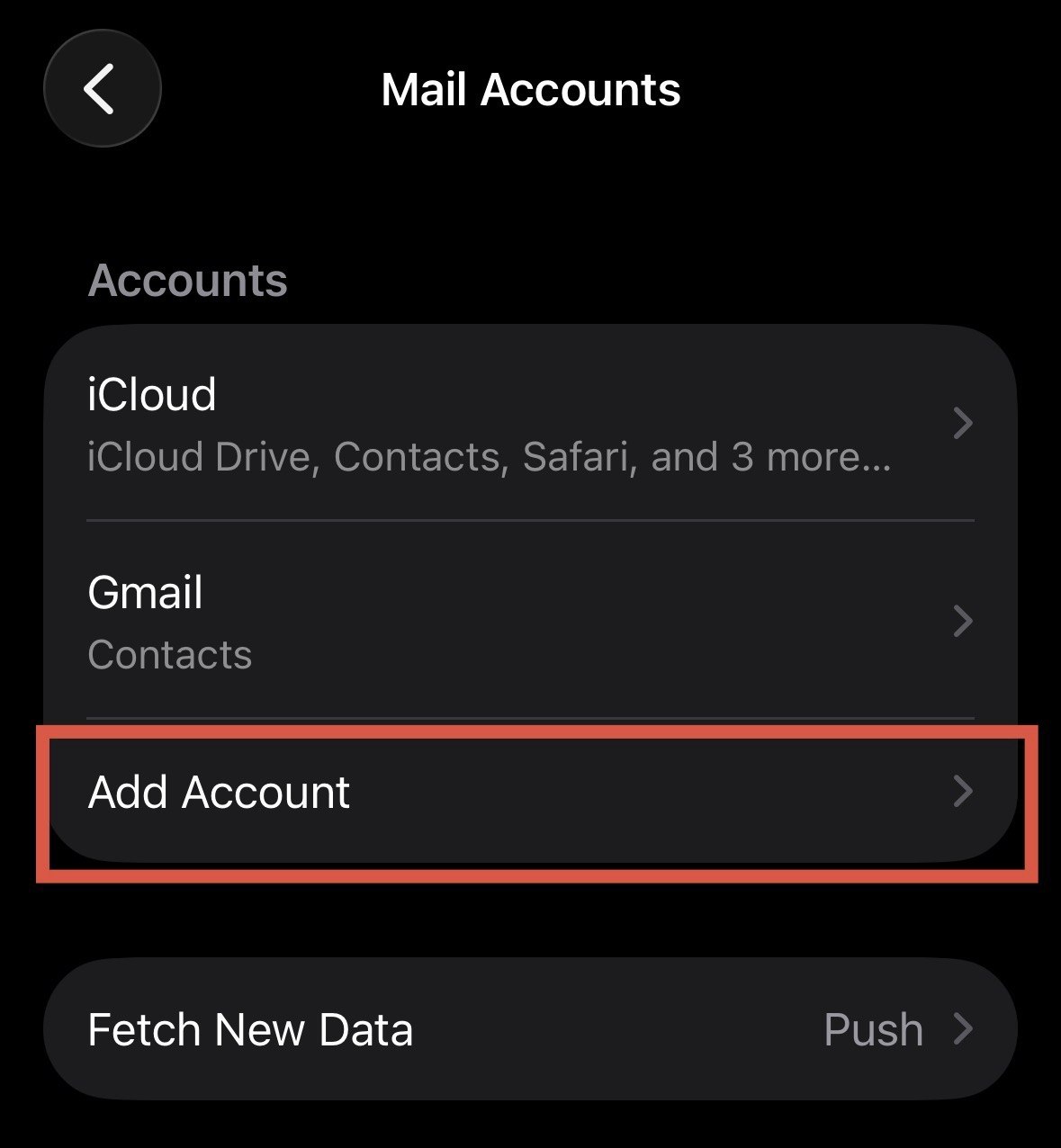
Step 4. To add a new account, go to “Accounts”
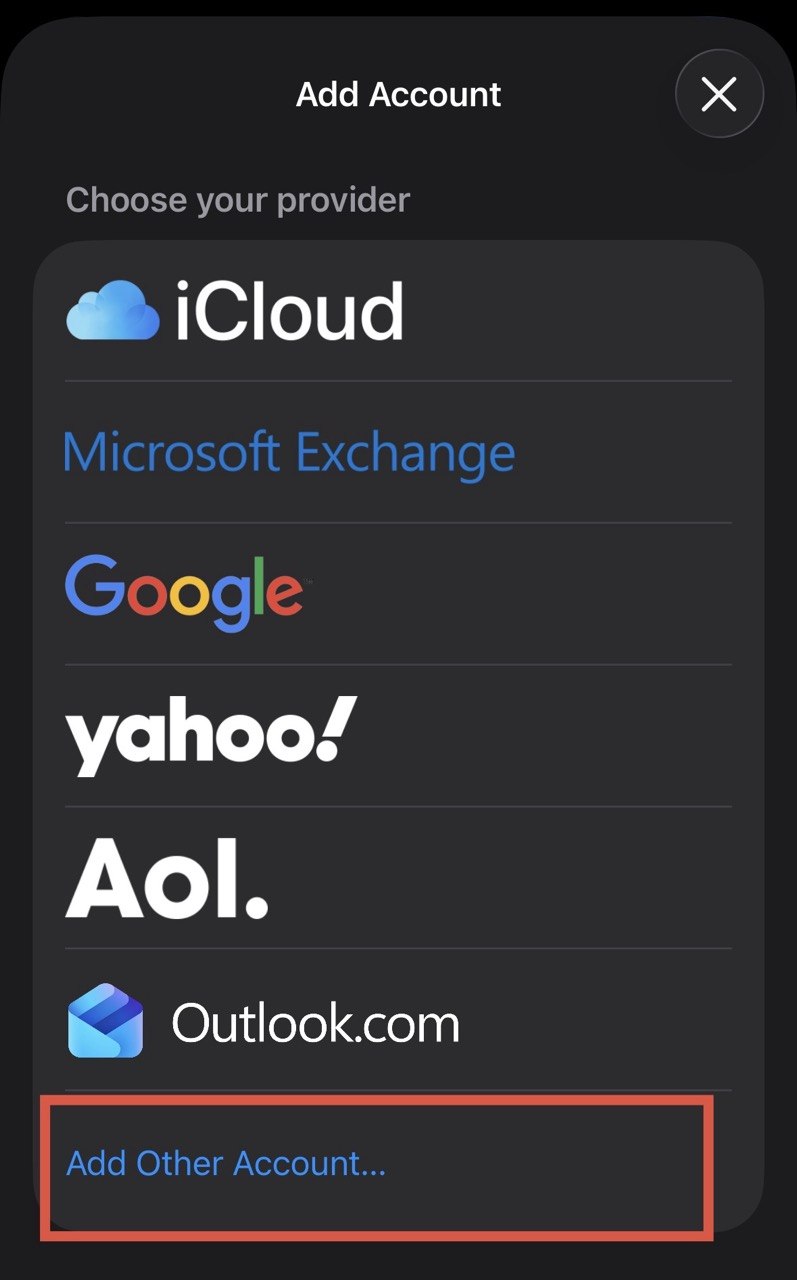
Step 5. ‘Other’ → ‘Add Other Account’
Step 6. Fill in the details
Step 7. The server name must be mx1.mirohost.net, ‘Username’ is your email address, and ‘Password’ is your email password
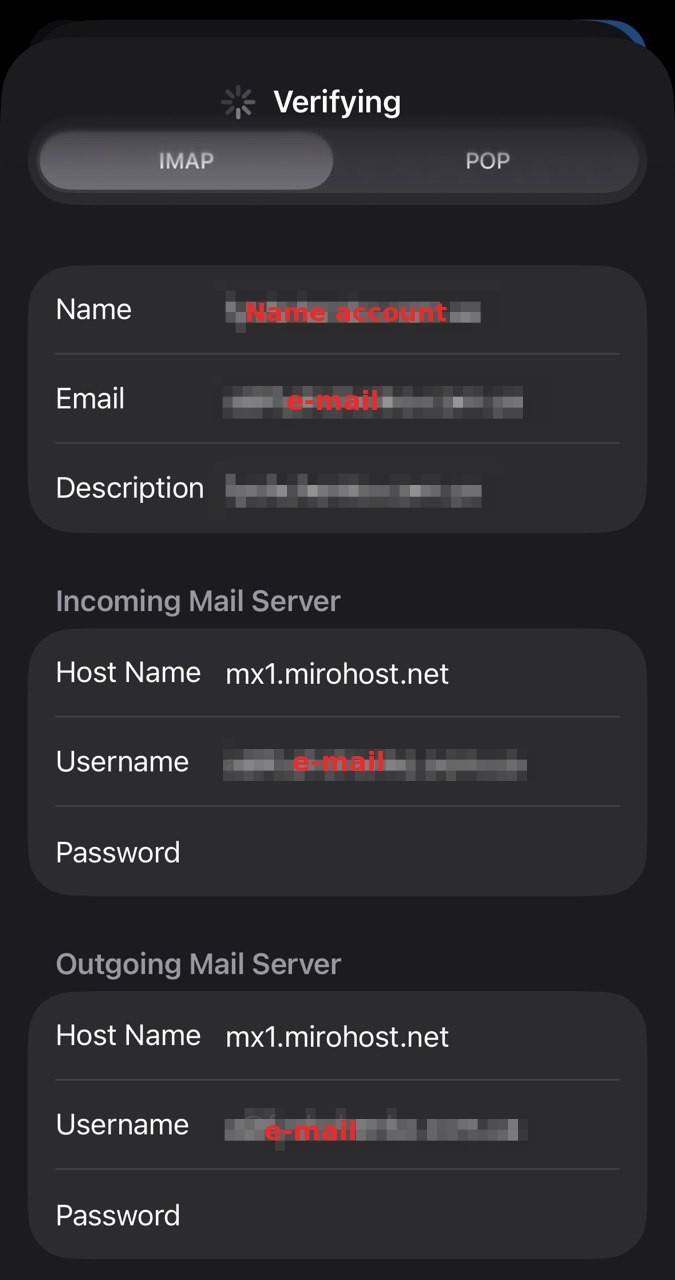
Step 8. Save the settings